
Server Features
Paradisus has a few data packs that enhance the user experience without interfering with vanilla gameplay mechanics.
Manually place and manipulate armor stands to pose statues.
To pose statues, first get a book and quill. Open the book and sign it. You must give it the title of Statues. Then right click near an armor stand. A very comprehensive guide by ZombieCleo of HermitCraft will walk through all the features.
There is a client side mod that makes this experience much easier (using a UI instead of clicking through the book.) This is highly recommended if you want to utilize this feature frequently.
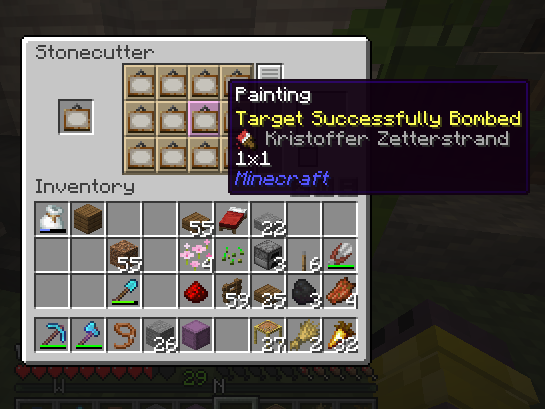
Putting a painting in an stonecutter will let pick which painting variant you will place.
Create custom music discs by uploading your own audio file to be played on a record disc. Use /audioplayer and follow the screen for uploading a file. After uploading, use /audioplayer search to find the ID of your file. Then, while holding a record disc, use /audioplayer apply <id> to save the audio file to disc.
Renaming a name tag disown and applying it to a cat or dog you own will make it not yours anymore. This allows you to give a pet to another player.
Naming a mob silence will prevent it from making noise.
Looking at the escape menu you will see the “ModelApplier” button. We aren’t as familiar with this one, so let us know what you can do!
Make item frames invisible with /trigger if_invisible. Look at an item frame with an item in it, then run the command. Then, only the block or item will appear.
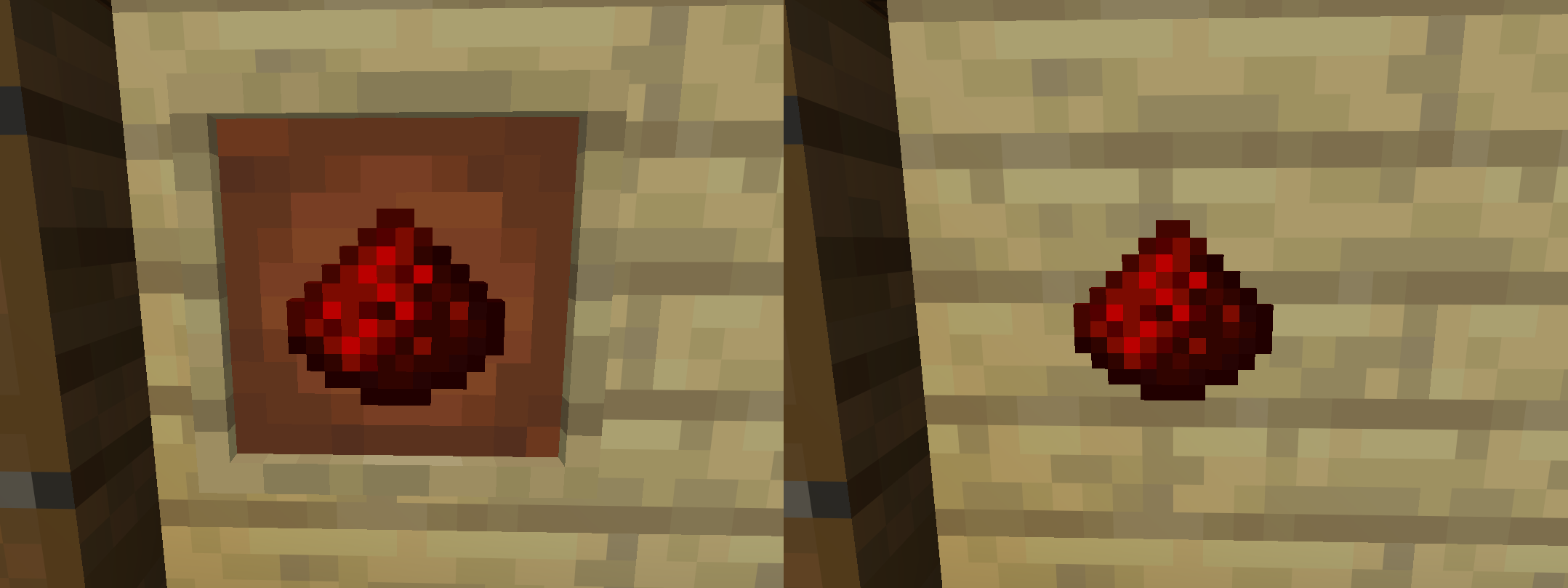
To undo the effect, rerun the command while looking at it.
/trigger FormatName gives you an in game chat interface to apply custom rich-font features to items. You can rename tools or nametags to use bold, italics, or colors in the name. Have your XP ready, it will consume a level for every change!